
Speaki Strawberry Pajamas: Nine Cozy Desktop Pet Animations
Meet the Speaki strawberry pajama fan-art pack. Preview nine animations, compare the new outfit with the dark-hood version, and check package details.
CodePets ·
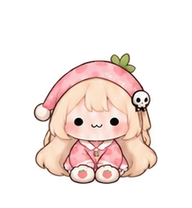
Speaki in strawberry pajamas: a different kind of desktop companion
Speaki Strawberry Pajamas is a new, unofficial fan-art animation pack in the CodePets collection. It gives the pale-haired character a pink bedtime outfit and nine short animated gestures. You can watch every gesture on this page before opening the pack details. The outfit is our own interpretation, not an announced costume or a skin taken from Trickcal.
The idea starts with a small visual change: replace the dark hood with a soft sleeping cap and trade the dark clothing for pink pajamas. The round face, rosy cheeks and tiny mouth still carry the expression. The result is meant for someone who likes the character but wants a lighter, softer look beside their work.
This page covers the new outfit, its actual motions and the files in the pack. For the character background and the difference between Speaki and the meme name Spiki, follow the original guide linked below. Keeping those subjects separate makes it easier to compare the artwork without reading the same introduction twice.
What changed in the outfit?
Pink is the main color, with light cuffs and a small green detail on the sleeping cap. The pale hair stays visible around the face. A skull-shaped clip keeps a recognizable detail from the earlier interpretation, while the pajama silhouette makes this version easy to distinguish from the dark-hood pack.
We kept the costume consistent across the nine rows. The change between rows is the gesture, not a different wardrobe each time. That matters in a small animation: if sleeves, hair or accessories change too much between frames, the eye notices the costume changing instead of the intended movement.
The cap and pajamas are part of the drawings. They are not selectable clothing items inside an app, and the package does not include a dressing interface. Choose this version for its visible look; choose the original dark outfit if that is the silhouette you prefer. Both remain separate entries in the collection.
Why these nine motions fit the new look
A bedtime outfit gives the pack a clear mood, so the motion list includes a pillow hug, a yawn and a stretch. These are easy to recognize without sound or a long explanation. A wave and a sway add livelier options, while the cheek and heart gestures supply short reaction poses.
The earlier collection already explored a wave, a lying foot movement and a hug. Here those broad gesture ideas are redrawn in the new costume. The pillow replaces the candy as the most distinctive prop. This is a fresh set of generated drawings, not a color filter applied to the original sprite sheet.
All motion names describe what the pictures show. They do not promise that a desktop client will play the yawn when you stop typing, detect bedtime or start a stretch reminder. A host application would need its own event logic for that. The browser gallery simply lets you choose which row to watch.
Preview the nine pajama animations
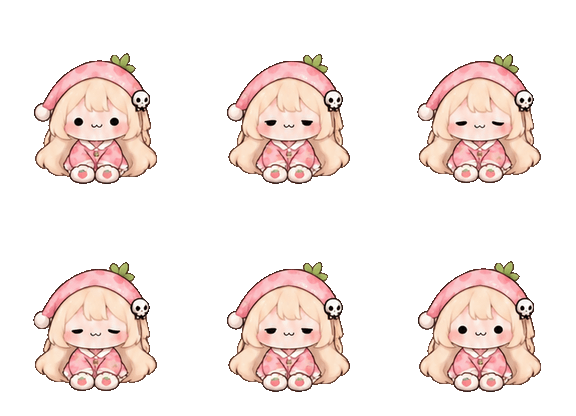
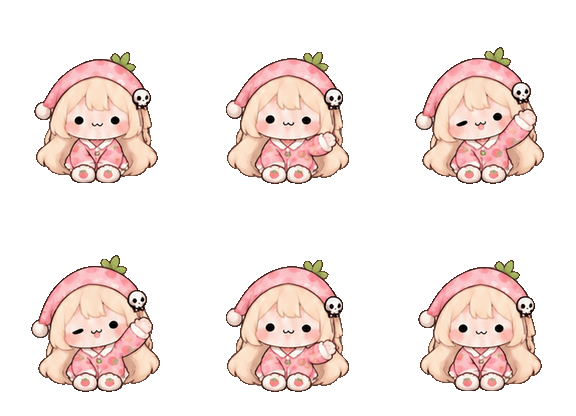
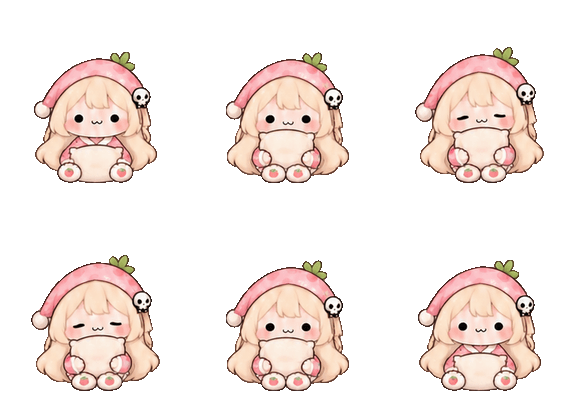
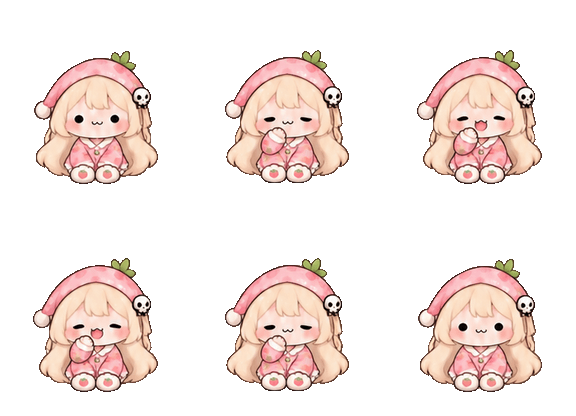
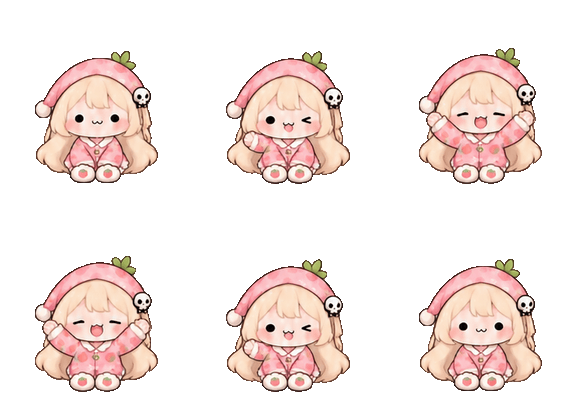
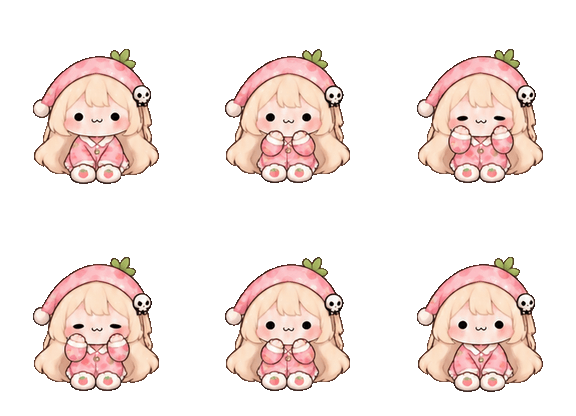
Gentle blink is the quiet starting pose. Hello wave raises one arm for a greeting. Sleepy sway tips the character to one side and returns. Watch the cap and face together to see how much movement you would want in a corner of your screen.
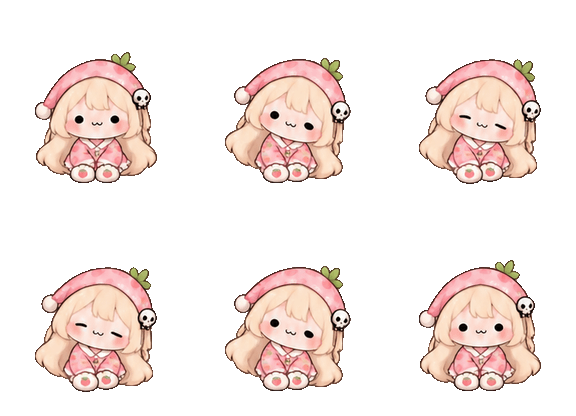
Pillow hug brings a light-colored cushion close to the face. Little yawn pairs a hand-to-mouth gesture with a sleepy expression. Big stretch opens the arms above the body. These three provide the clearest connection between the new outfit and its bedtime theme.
Bashful cheeks brings the hands toward the face. Foot wiggle changes the posture to lying down and lifts the feet. Heart hug uses a pink heart as the focal point. Let each preview repeat rather than judging a single still: the return motion is part of the look.
The GIFs below show the rows included in the downloadable atlas. If you prefer a larger view or want to pause on a pose, use the interactive gallery on the product page. There is no need to buy the pack to inspect its visible movements.
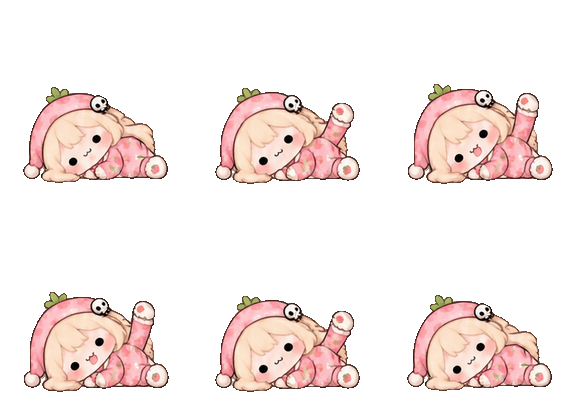
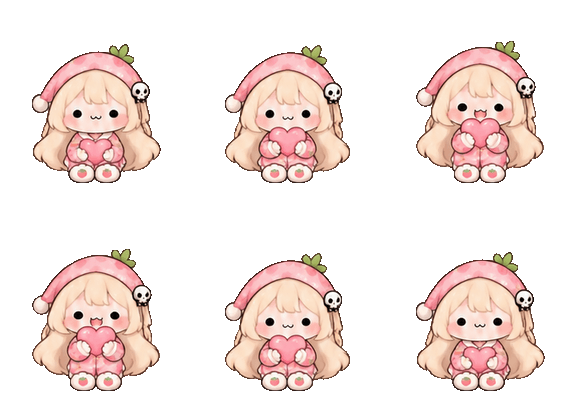
What the animation pack contains
The core files are pet.json and spritesheet.webp. The manifest names the character and points to the image. The transparent image is arranged in nine rows and eight frame positions per row. Each cell is 192 by 208 pixels, so the complete atlas measures 1536 by 1872 pixels.
Each motion uses four key drawings, played forward and backward in the order 0, 1, 2, 3, 3, 2, 1, 0. That gives 36 key drawings across the pack, placed in 72 cells. It is a compact sticker-style loop, not eight independently drawn stages of motion. Small changes in hair, sleeve shapes or props may still be visible between poses.
The ZIP is an artwork package for a compatible client. It does not include a standalone desktop application, voice, chat, a feeding game or a sleep timer. The pillow and heart are drawn props, not interactive inventory items. These boundaries help you decide whether you want an animation asset or a complete pet application.
Compare the pajamas with the dark-hood version
Start with the costume rather than assuming one pack is an upgrade for everyone. The original interpretation has a dark hood and a stronger contrast around the face. The pajama version uses a lighter pink silhouette. Those differences remain visible even when the character is small.
Then compare the props and expressions. The original collection includes a candy hug and a sleepy nod. This collection swaps those themes for a pillow hug and a yawn. Several familiar gesture categories remain, but the key drawings and clothing are new. Owning one pack does not make the other necessary.
Try the previews against your usual workspace colors. A pale outfit can feel less visually prominent on a light page, while the dark outline helps separate it from the background. The site preview is a place to compare that effect; it is not a promise that every desktop host will render transparency or scaling identically.
Preview first, then check installation
Before buying, view all nine rows and read the product notice. Native desktop installation and state mapping have not been tested for this particular outfit. A working browser animation demonstrates the image sequence, not compatibility with every desktop pet program or app version.
After downloading, extract the ZIP and keep the character folder together. The manifest must remain beside the sprite sheet it names. Follow the site installation guide for your client and operating system, and keep the original ZIP as a backup. An extra nested folder or a renamed image can prevent a client from finding the files.
If you need help, describe the operating system, client version and what you see. Do not share passwords or private recovery links in a public post. The CodePets recovery and contact pages are linked from the site. Previewing this page is free; consult the product page and current pricing terms for the downloadable catalog pack.
How this new version was made
We used the earlier CodePets Speaki preview as the visual reference for a new AI-generated key-pose sheet. The request kept the face and pale hair recognizable, changed the wardrobe to strawberry pajamas, and specified nine rows of four progressive poses. Wide transparent gaps were requested so neighboring drawings could be separated.
The artwork was assembled into the site atlas and GIF previews. Frame dimensions, transparency, nonempty cells and clear frame edges are file checks. Looking at the pose order is a separate review: correct dimensions alone cannot show that a wave reads clearly or that a prop stays consistent. The four-key construction also sets a visible limit on smoothness.
This is unofficial fan art, not a claim of ownership of the original character or a collaboration with the game creators. The useful next step is to compare the actual previews. Open the Speaki collection to see both outfits, or visit this version’s product page for the complete interactive gallery and package details.
Explore the strawberry pajama animation pack · Pricing and purchase details
Read the installation guide · Browse Codex pets · Recover a purchased pack
Keep reading
Speaki Desktop Pet: 9 Animations and a Guide to the Meme
Butterbean: a Cat Desktop Pet, From Sketch to Nine Loops
How to install Codex pets on Windows